What Is IMEI Number? How to Check & Why It Matters

IMEI number guide

Share:

Table of Contents

If you’ve ever tried to unlock your phone, check its warranty, or track it when lost, you’ve probably come across the term IMEI number. But what is IMEI number, and why is it so important for every smartphone user? In this guide, we’ll break it down in simple terms and show you how to find, check, and use it effectively.

What Is IMEI Number?

what is IMEI number

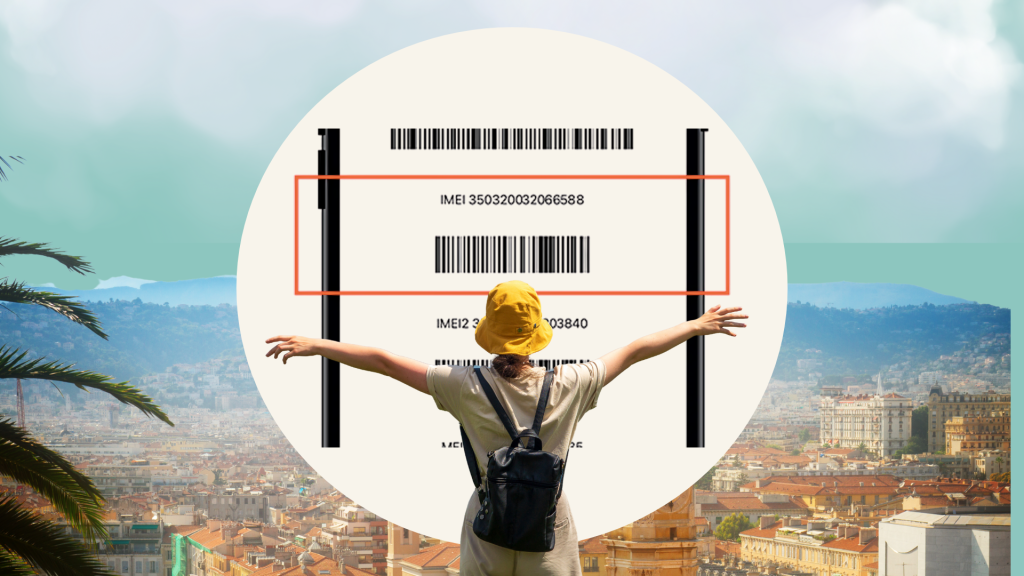
The International Mobile Equipment Identity (IMEI) is a unique 15-digit number assigned to every mobile device. Think of it as your phone’s fingerprint. Carriers and manufacturers use it to identify devices, prevent theft, and verify warranty status. Each IMEI is tied to one device and cannot be duplicated legally.

What Is IMEI2 and How It Differs from IMEI?

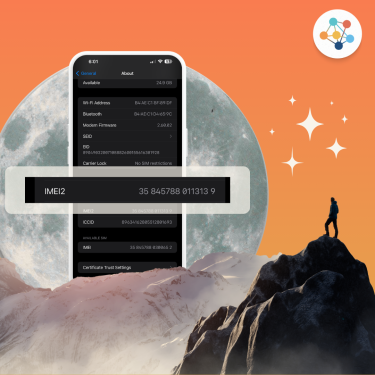
Modern smartphones, especially dual SIM devices, often come with two IMEI numbers: IMEI1 and IMEI2. Each number corresponds to a SIM slot, allowing carriers to track and manage each line independently.

  • IMEI1: Primary SIM slot, usually your main line.

  • IMEI2: Secondary SIM slot, for a second SIM or eSIM.

Key Differences:

  1.  Purpose: IMEI2 identifies the second SIM, while IMEI1 manages the primary line.
  2. Network Use: Each IMEI can be independently used for roaming, eSIM, or data plans.
  3. Security: If one SIM is lost or stolen, its IMEI can be blocked without affecting the other.

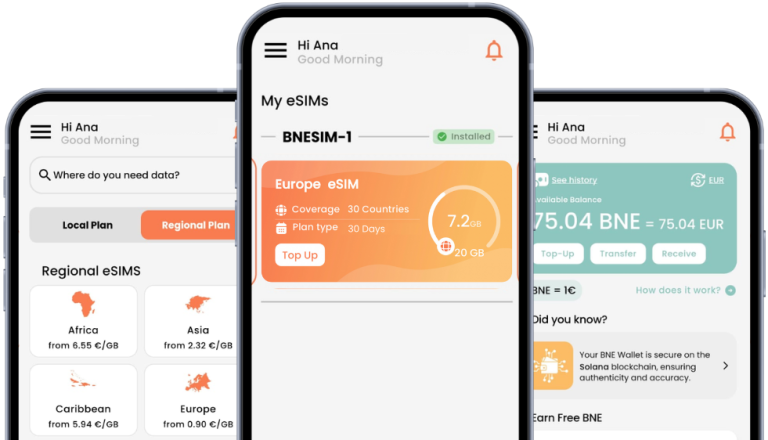
For example, you can use a primary SIM for local calls and a BNESIM eSIM which relies on IMEI2 for international data.

Why IMEI Number Matters?

Device Identification & Anti-Theft

If your phone gets stolen, carriers and law enforcement can use the IMEI to blacklist the device, making it useless with most networks.

Checking Warranty & Authenticity

By entering your IMEI on your phone manufacturer’s website, you can verify if your device is genuine and check its warranty status.

Tracking Lost or Stolen Devices

Services like Find My iPhone or Android Device Manager rely on IMEI to locate devices.

How to Find Your IMEI Number?

How to Find It on iPhone?

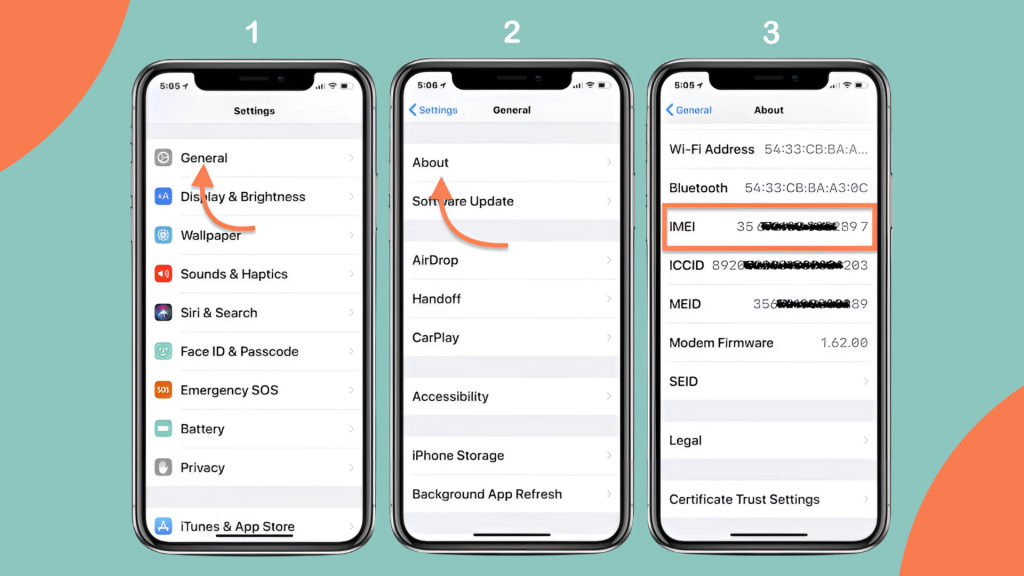
  1. Go to Settings > General > About.
  2. Scroll down to IMEI 
  3. Optional: You can also dial *#06# to display it instantly.
steps of how to find IMEI number on an iPhone

How to Find It on Android?

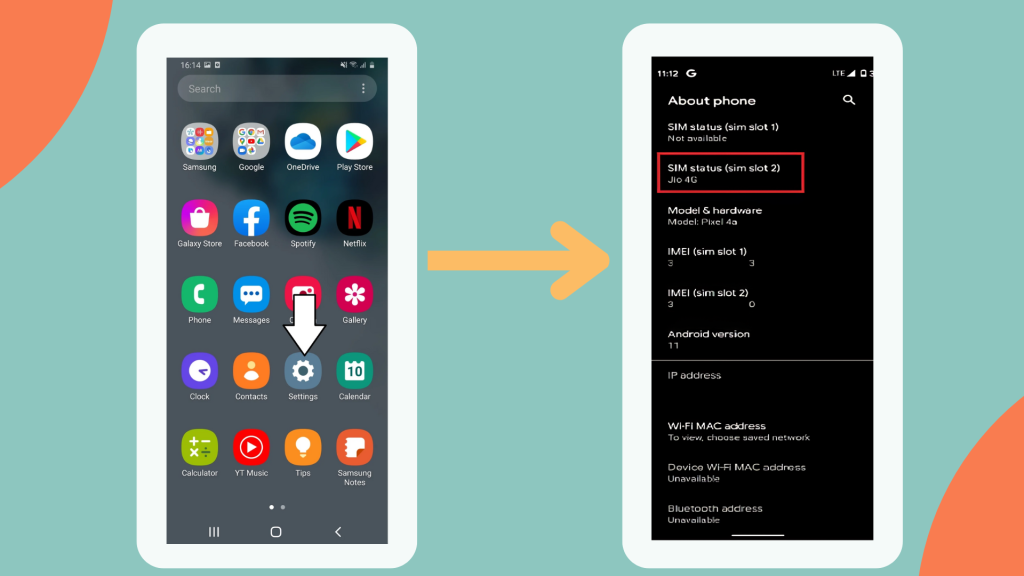
  1. Open Settings > About Phone.
  2. Look for IMEI under “Status” or “Device Information.”
  3. Or dial *#06# for a quick check.
steps of how to find IMEI number on Android

Find On SIM Tray or Device Packaging

Your IMEI is often printed on the SIM card tray or the original box your phone came in.

How to Check If Your Phone Is Locked or Unlocked Using IMEI?

You can use your IMEI number to check if your device is carrier-locked. Online IMEI checkers and carrier services can confirm unlock status.

IMEI Number and Phone Security

Protecting Your Device

Report your IMEI immediately if your phone is lost or stolen to block unauthorized use.

Avoiding Scams

Always check the IMEI before buying a secondhand phone to ensure it’s not blacklisted.

Reporting Lost/Stolen Phone

Carriers and police can track and disable your phone using its IMEI.

Maximize Your Unlocked Phone with BNESIM eSIM

Once unlocked, your phone can use BNESIM eSIMs for instant international connectivity. BNESIM covers over 200 countries, offers flexible and affordable plans, and is easy to manage in-app. For dual SIM devices, check your IMEI2 to ensure the second line supports eSIM for seamless travel.

FAQs

Can IMEI be changed or cloned?

Legally, IMEIs cannot be changed; cloning is illegal and risky.

No, your IMEI is permanently tied to your device.

Yes, IMEI allows carriers and authorities to locate or block stolen devices.

No, the IMEI identifies the device, not the user.

Conclusion

Your IMEI number is more than just a code. It’s your device’s identity, security key, and warranty tracker. Whether you’re checking if your phone is unlocked or protecting it from theft, knowing your IMEI is essential. And once your device is unlocked, maximize its potential with BNESIM eSIM for seamless global connectivity.

💡 Related Reads:

Picture of Kai Claide

Kai Claide

A content creator with a love for the outdoors and pictures. A true beach person at heart, enjoys sunny coastlines, sipping matcha, and making the most out of every adventure. Curious and is always up for something fun.

Display of bnesim eSIM interface showcasing various connectivity options and user-friendly features.
BNE eSIM

One eSIM, Global Coverage No more switching between eSIMs!

Download the
BNESIM eSIM App
The quick & easy way to manage your eSIMs
More Posts
Five gold awards against a white backdrop, highlighting the recognition as a five-time World Travel Tech Awards winner, 2024.
BNESIM is the World Travel Awards winner of

"World's Best Travel SIM Provider"
en_USEnglish